

To add or modify a popup at your IPSTUDIO Fitness Website™ login to yourdomain.com/wp-admin then head to ‘Theme Settings’ tab and click ‘Popup’ here you can enable, disable and add popup content. When done click ‘Update‘ for your changes to appear.
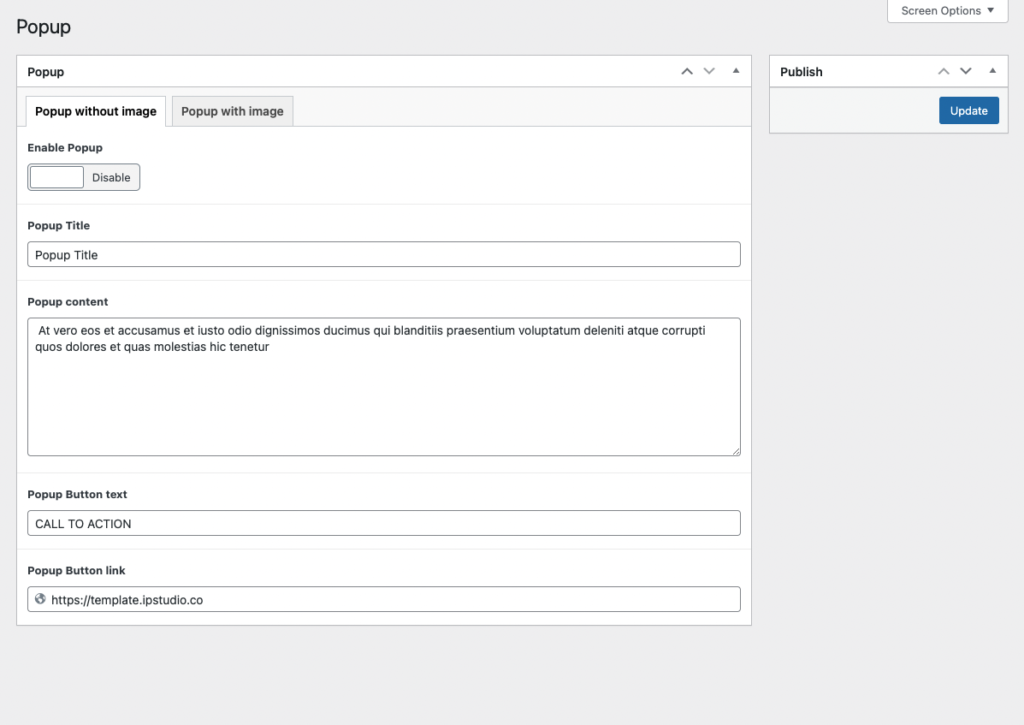
- Enable or disable popup with the toggle button
- Insert Popup Title
- Add Popup Content
- Add Popup Button Text
- Add Popup Button URL (be sure to include
https://)
When done click ‘Update‘ for your changes to take effect.
Front End View
