Get setup between Live by IPSTUDIO™ and Zoom in a snap. Follow these steps and you’ll be up and running in minutes.
Step 1
Obtain a Zoom account if you don’t have one already.
Step 2
Visit live.ipstudio.co and register if you haven’t already, click here.
Step 3
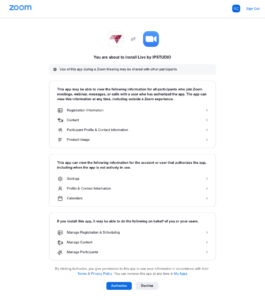
Click the Sign In With Zoom button to launch the login screen, authorizing the integration to Live by IPSTUDIO™, click Authorize.
Step 4
At the live.ipstudio.co dashboard, enter your yoursubdomain.marianatek.com then click Sign In With Mariana Tek, authorizing the integration to Live by IPSTUDIO™, enter your login info and click Log In.
Step 5
Start automating classes